Start with the job the image does.
A tool can describe pixels without knowing why you used them. A poster, a thumbnail that opens a guide, and an illustration beside a full explanation can use the same file while needing different alternatives.
The W3C WAI alt decision tree starts with content and context. Decide what someone should learn or do here. Then decide which information is already available as real text nearby. These are established web practices reviewed October 18, 2026, not a new AI feature or standard.
For an informative image, convey the meaning that matters to this page. For an image-only link, name its destination or action. If a non-interactive image adds no information, explicitly empty HTML alt="" can be appropriate. Omitting the attribute is a different thing.
This workflow fits a team publishing AI artwork, a hobbyist sharing a project, or a skeptic checking whether an automated description actually communicates the point. No new subscription or special AI service is required for the manual steps.
Read the image before asking for a draft.
Open the finished graphic at a readable size. Write down the exact essential wording, the important objects or relationships, and what the image is there to explain. Check a small preview too: text that looks sharp at full size may be hard to read in a feed.
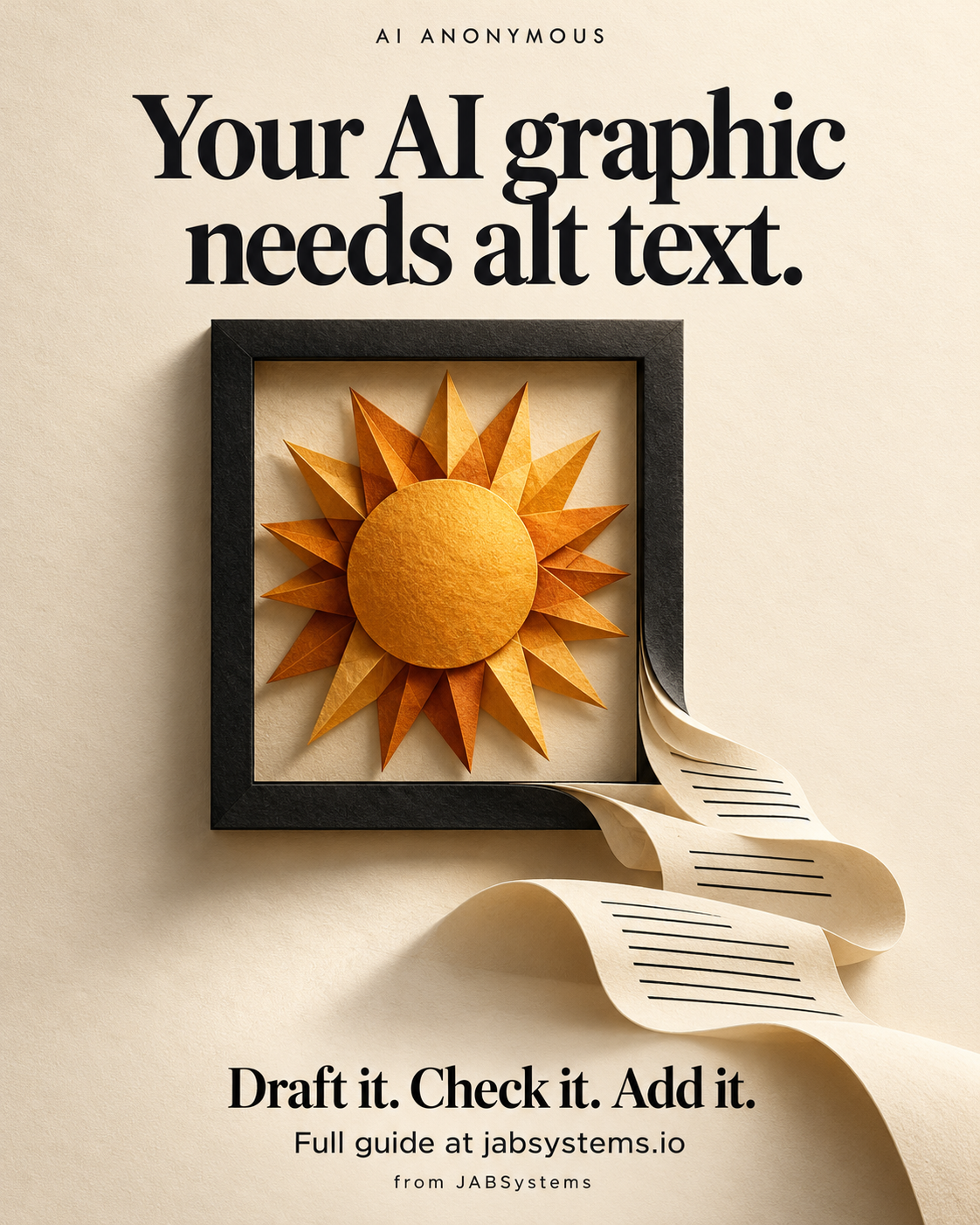
Our original AI-generated poster uses an amber paper sun in a dark picture frame and a ribbon of paper to suggest an image becoming words. Its headline is “Your AI graphic needs alt text.” Its supporting line is “Draft it. Check it. Add it.” The CTA is “Full guide at jabsystems.io”; it is branded AI Anonymous, from JABSystems. The marks on the ribbon are part of the illustration, not additional instructions.
The reviewed inventory and posting alt text accompany the downloads. They were composed and checked by the author against the generated graphic. They are not outputs from an alt-text model.
If a different image contains a chart, verify its labels and data against the original source. If a word is illegible, resolve it before publishing. Do not turn a guess about someone's identity or emotions into a factual description.
Give the AI the purpose and the surrounding text.
If you choose to use AI, use an image-capable tool approved for the image and attach the actual file. A text-only prompt cannot inspect an unseen picture. Paste the nearby heading, caption, or link text and your checked inventory into this complete proposed prompt:
Use an image-capable AI tool approved for this image. Attach the actual image.

You are helping draft a text alternative. Do not publish anything.
Image purpose: [what the reader needs to learn or do].
Placement: [standalone post, informative image, linked image, or decoration].
Nearby visible text: [paste the heading, caption, and link text, if any].
Verified image text and facts: [paste an inventory you checked yourself].

Return:
1. A draft text alternative suited to this placement and purpose.
2. Any essential information needing nearby real text instead of a long alt.
3. Uncertain details that a person must verify.

Preserve essential visible words accurately when they are not already available
as real text. For an image-only link, describe the destination or action.
If the image adds no information beyond nearby text and serves no independent
function, explain why empty HTML alt may fit that context.
Do not invent names, identities, emotions, figures, relationships, or results.
Do not silently guess illegible text. Flag it for human review.
Do not add hashtags, SEO keywords, or promotional claims to the alternative.

This is a proposed prompt. No vision-model output or quality evaluation was run.
The human author decides the purpose and checks the draft against the image.
The blanks are intentional: you supply the real context. Treat the response as an editing candidate. Ask what a reader would lose if the image disappeared, then check that the draft carries that information without inventing details.
We did not run or evaluate this AI drafting prompt. No claims about model accuracy, speed, or accessibility performance follow from it. You can write the alternative manually using the same inventory.
See what changes when the context changes.
Download the practice ZIP, extract it to a new folder, and open alt-text-context-demo.html. Keep the included PNG beside it. No installation or script execution is needed. Use View Source or browser developer tools to inspect the three examples.
An informative standalone poster
When the poster carries the message by itself, this author-reviewed alternative includes its essential words and visual idea:
AI Anonymous poster: Your AI graphic needs alt text. An amber paper sun in a dark picture frame unfurls into a ribbon of paper with lines suggesting text. Draft it. Check it. Add it. Full guide at jabsystems.io. From JABSystems.The informative-image guidance focuses on meaning in context. This posting example includes the poster text because a reader may encounter it separately from the guide. The article's own image alternative can focus on the metaphor because its headline is already real text immediately above.
An image-only link to the guide
<a href="https://jabsystems.io/ai-anonymous/ai-graphic-alt-text">
  <img src="graphic-needs-alt-text.png"
       alt="Open the AI Anonymous alt-text guide">
</a>
The useful information is where the link goes. “Amber sun in a black frame” describes its appearance but leaves the action unclear. This follows WAI's functional-image guidance. If the same link also had complete visible link text, avoid repeating that text through the image unnecessarily.
A redundant illustration beside its full text equivalent
<img src="graphic-needs-alt-text.png" alt="">The demo puts the full text equivalent immediately before this non-interactive copy. It adds no separate information, so its alt is explicitly empty. WAI's decorative-image guidance explains this context decision. Do not copy empty alt to images that still carry needed information or provide an unnamed action.
Put the reviewed words in the actual destination.
For a website, add the reviewed value to the rendered image's alt attribute and verify any image link or button has a useful accessible name. A caption, a filename, and an HTML alt attribute are separate things.
For a social post, copy the reviewed text into the destination's actual image alt-text field where available, and check its current interface and limits. Adding an alt-text file to a ZIP or putting a description in a caption does not populate that field. Our package leaves this publishing step to you; no platform alt field or social account was changed or tested.
Keep essential graphic wording available in text. For website headings and instructions, prefer real HTML text that can reflow and be adapted; see WAI's images-of-text guidance. A poster can accompany that content without being its only delivery method.
A long chart or process diagram needs more than a squeezed-down sentence. Provide the full data or explanation as accessible nearby text, such as a table or ordered steps, with an appropriate short alternative for the image. The complex-image guidance shows approaches. Do not invent a universal character limit: write for the purpose, and check the chosen destination.
Check the published context, then keep the limits visible.
Use the review checklist before the image goes live:
- Compare essential words, labels, and relationships against the image. Remove unsupported additions.
- Read the alternative with its heading, caption, and link text. Fix missing meaning and needless repetition.
- Inspect the rendered markup, image loading, link destination, and keyboard operation. Check narrow screens and zoom as part of the wider page review.
- Include assistive-technology and user testing in a broader accessibility review. Recheck the alternative if the image, crop, destination, or surrounding content changes.
The downloadable HTML examples were checked in Chromium and WebKit for loaded images, explicit attributes, an informative image name, the image-only link name, and the redundant image's presentation role. We also checked the article, download links, and mobile/desktop layouts. These browser checks do not establish how every screen reader or social platform will present the content.
Verification boundary: this is an original AI-generated graphic, author-reviewed alternatives, and tested example markup. The proposed vision prompt was not executed or evaluated. No screen-reader, physical-device, social-platform, model-quality, speed, or conformance certification is claimed. WCAG's explanation of non-text content provides the broader context; one alt attribute does not certify a whole page.
Keep the image, context, and alternative together.
Original graphic · Caption · Posting alt text · Full article URL · Posting ZIP · Practice ZIP · HTML examples · Practice README · Proposed AI prompt · Reviewed image inventory · Review checklist
Primary sources are linked at the relevant steps above. All are W3C WAI resources reviewed October 18, 2026. The poster is conceptual AI artwork; the examples and editorial decisions are ours.
Manual social delivery: the posting ZIP contains the original graphic, an intentionally incomplete teaser, reviewed alt text, and the exact guide URL. Social content is prepared for you to post. It is not scheduled or published, and no profile-link change is claimed.